Command recall
Practice shell, Git, package, process, network, file, and troubleshooting commands until common moves are familiar.
Linux and shell command fitness for iPhone and iPad. Practice the commands people reach for during troubleshooting, setup, deploys, and daily terminal work.
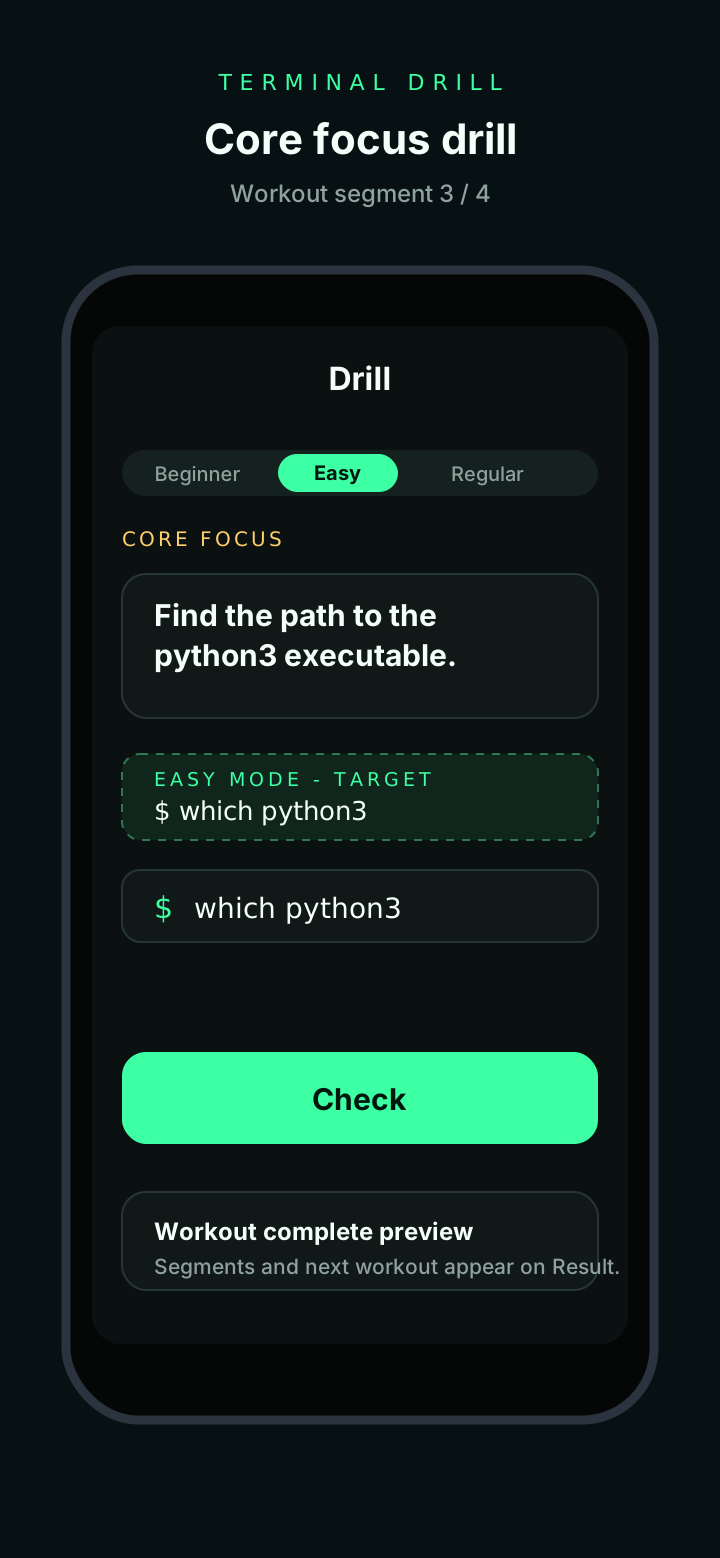
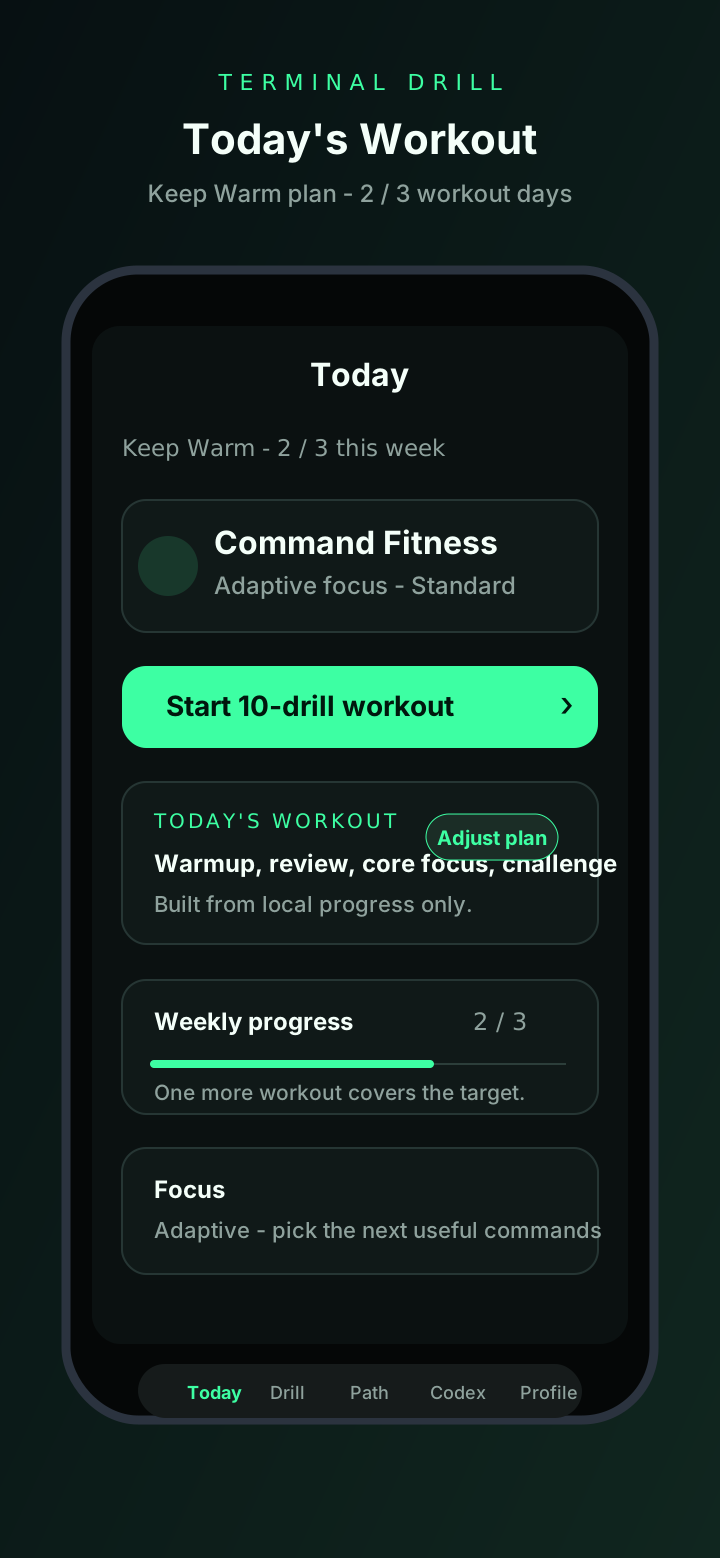
TerminalDrill shows that the recall loop works as a real app: content packs, daily challenges, local progress, review, command reference, and privacy-first product behavior.
Practice shell, Git, package, process, network, file, and troubleshooting commands until common moves are familiar.
Progress stays on device. The app does not need app-owned telemetry to make the practice loop useful.
TerminalDrill never runs shell commands. It trains recognition, typing, explanation, and safe command shape.
TerminalDrill covers the full range of Linux and shell command fluency, organised by domain.
cd, ls, pwd, pushd, popd, dirs, tree, realpath, readlink, and directory traversal patterns.
cat, less, more, head, tail, nl, od, xxd, strings, file, wc, and content inspection.
find, locate, which, whereis, type, fd, mlocate, and search strategies for the filesystem.
cp, mv, rm, mkdir, rmdir, touch, ln, install, shred, and safe file management.
chmod, chown, chgrp, umask, lsattr, chattr, getfacl, setfacl, and access control.
tar, gzip, gunzip, bzip2, xz, zip, unzip, 7z, and compression workflows.
ps, top, htop, kill, pkill, pgrep, nice, renice, nohup, disown, and process lifecycle.
ping, curl, wget, netstat, ss, dig, nslookup, host, traceroute, nc, and connectivity checks.
grep, sed, awk, cut, sort, uniq, tr, paste, join, diff, comm, and stream editing.
echo, printf, read, source, export, alias, unalias, set, unset, type, and shell configuration.
jobs, fg, bg, wait, suspend, Ctrl-Z, Ctrl-C, and foreground/background management.
init, clone, add, commit, status, log, diff, branch, checkout, merge, and daily Git workflow.
reflog, reset, restore, revert, stash, bisect, cherry-pick, and recovery-first inspection.
apt, apt-get, dpkg, snap, flatpak, brew, and package management patterns.
uname, df, du, free, uptime, lscpu, lsblk, lspci, lsusb, dmesg, and hardware inspection.
ssh, scp, rsync, sftp, ssh-keygen, ssh-copy-id, and remote access patterns.
docker run, ps, images, build, exec, logs, stop, rm, prune, compose, and container workflows.
strace, lsof, tcpdump, iostat, vmstat, journalctl, dmesg, and diagnostic command chains.
What you get with TerminalDrill, from daily practice to deep reference.
A fresh set of drills every day, covering different modules to keep recall sharp across the full command spectrum.
18 focused modules let you drill specific domains — from navigation to troubleshooting — without noise from unrelated topics.
Every drill includes a safety note that flags real-world edge cases, destructive flags, and common mistakes.
Built-in reference for all 207 commands with common flags, usage patterns, and related command suggestions.
Revisit past drills, review incorrect answers, and track improvement over time without starting from scratch.
All progress stays on device. No account required, no telemetry, no data collection. The app works fully offline.
Two everyday TerminalDrill screens: the daily workout and a drill session.
find . -name "*.log"
TerminalDrill drills short command shapes before they are needed in a noisy terminal session.